 StreamKanban
StreamKanban
StreamKanban
Each agent leaves a comment the next one reads, so the work builds up on the card — no more copy-pasting context between sessions. Everything lives on your PC, and setup is one click inside Claude Code.
Want the whole thing? Full 20-minute walkthrough on YouTube
I built this because working with several agents meant copy-pasting documents and responses between them all day. StreamKanban makes the card the thing they pass around instead — it's the board I run my own projects on, including this page.
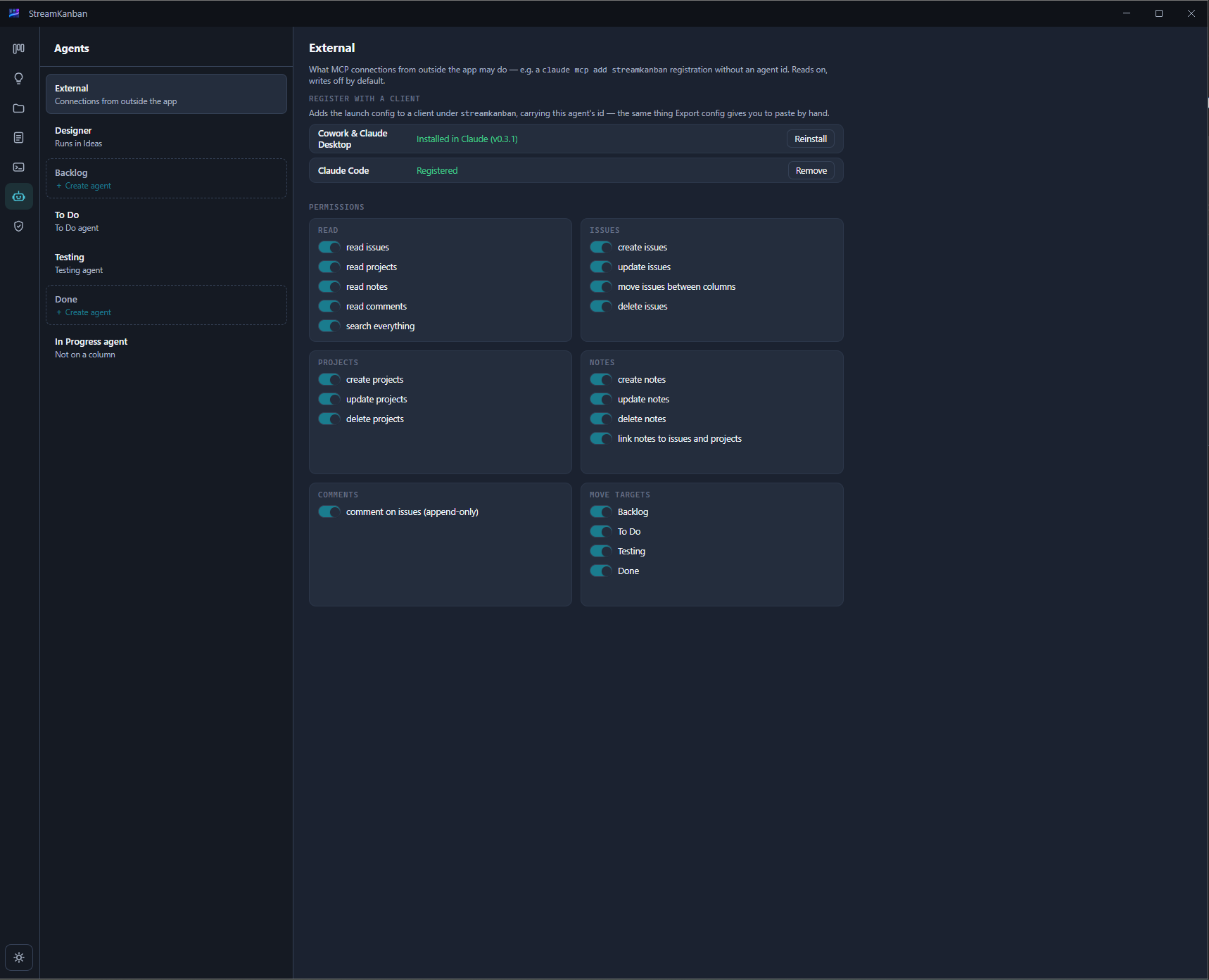
The To Do agent can only act on To Do. The Testing agent only on Testing. You decide what each one is allowed to do — and a permission it doesn't have is a hard no, not a suggestion.
Notes link to the issue. Each agent appends a comment the next agents read. When the tester picks up the card, the developer's notes are already on it.
It talks to you first — asks questions, pins down what you actually want — then proposes a spec, the issues, even the project. Nothing lands on the board until you hit Review & file. Or keep talking.
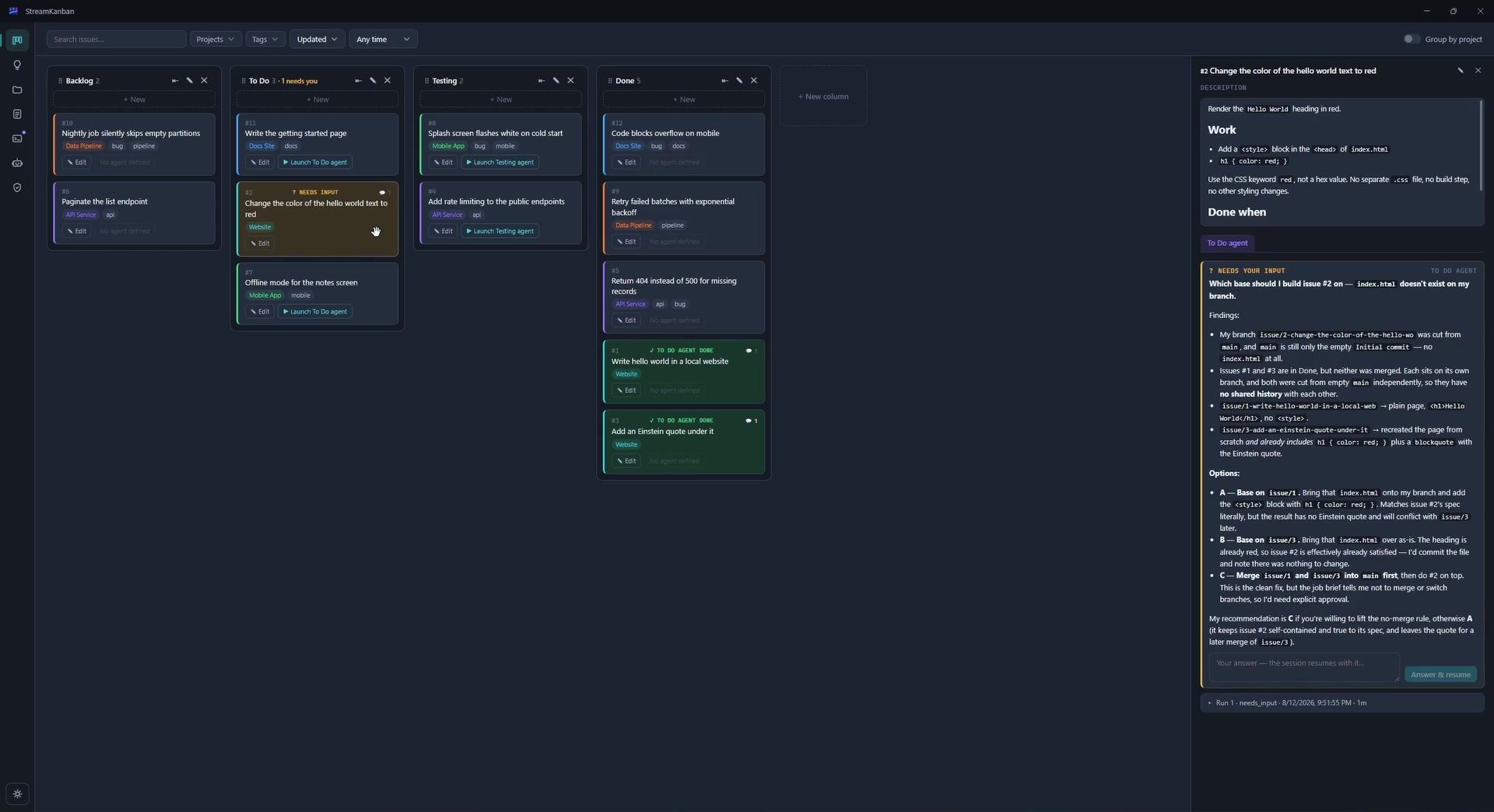
Agents run in parallel up to the limit you set; the rest queue. When one pauses to ask you something, its card turns yellow and the slot moves to the next agent. The queue handles the succession — you answer when you get to it, and the agent resumes where it stopped.
Both work on the same board and the same SQLite file. Mix them freely.
Your Claude Code session, Claude Desktop or Cowork talks to StreamKanban over MCP — reads issues, notes and comments, and appends its own. Registration is one click inside the app; no config files to edit.
Every card has a launch button for the agent that owns its column. Press it and that agent starts on that issue, with the card's notes and earlier comments already in hand.
Windows only for now. Download the installer, then one click inside the app registers StreamKanban with Claude Code — and one more adds the Cowork extension.
Run StreamKanban-Setup.exe from the GitHub release.
Open Agents → External and hit Register. It adds itself to Claude Code.
Optional: Install Cowork & Claude Desktop. One more click.
The installer isn't code-signed yet, so SmartScreen may warn you — More info → Run anyway.
Your board and notes live in one SQLite file on your machine — no account, no server. Back it up by copying it. Agent runs work on a git repository; if a project doesn't have one, the app creates it for you in one click.
Installs on Windows 10 and 11. Built on Electron.
The agents are Claude Code sessions, so they run with the setup and subscription you already have. Claude only for now — more agents and environments are planned.
Download it, use it, tell me what breaks. Bug reports and ideas go on GitHub issues.